People over posts.
The radar comes before the feed. Build a consistent presence with the right twenty people, instead of chasing whoever is loudest.
 riposte.
LinkedIn engagement, inside Claude, ChatGPT and Grok
Riposte tells your team who to talk to today, drafts replies in each person’s voice, and tracks who responds.
For founder-led B2B teams of 2 to 10. You always post.
Connects through
One connector, added in your assistant’s settings. Your seat works in all three.
The familiar problem
“We know engagement works. Nobody does it consistently.”
And when someone does make time, they reply to whoever is loud that day. Not the people you are trying to reach. By Friday, nobody knows whether any of it led anywhere.
Riposte gives each person a clear place to start, and the team a way to see what happened.
The morning run
Designed to take about ten minutes per person. Open Claude. Ask for your morning engagement run.
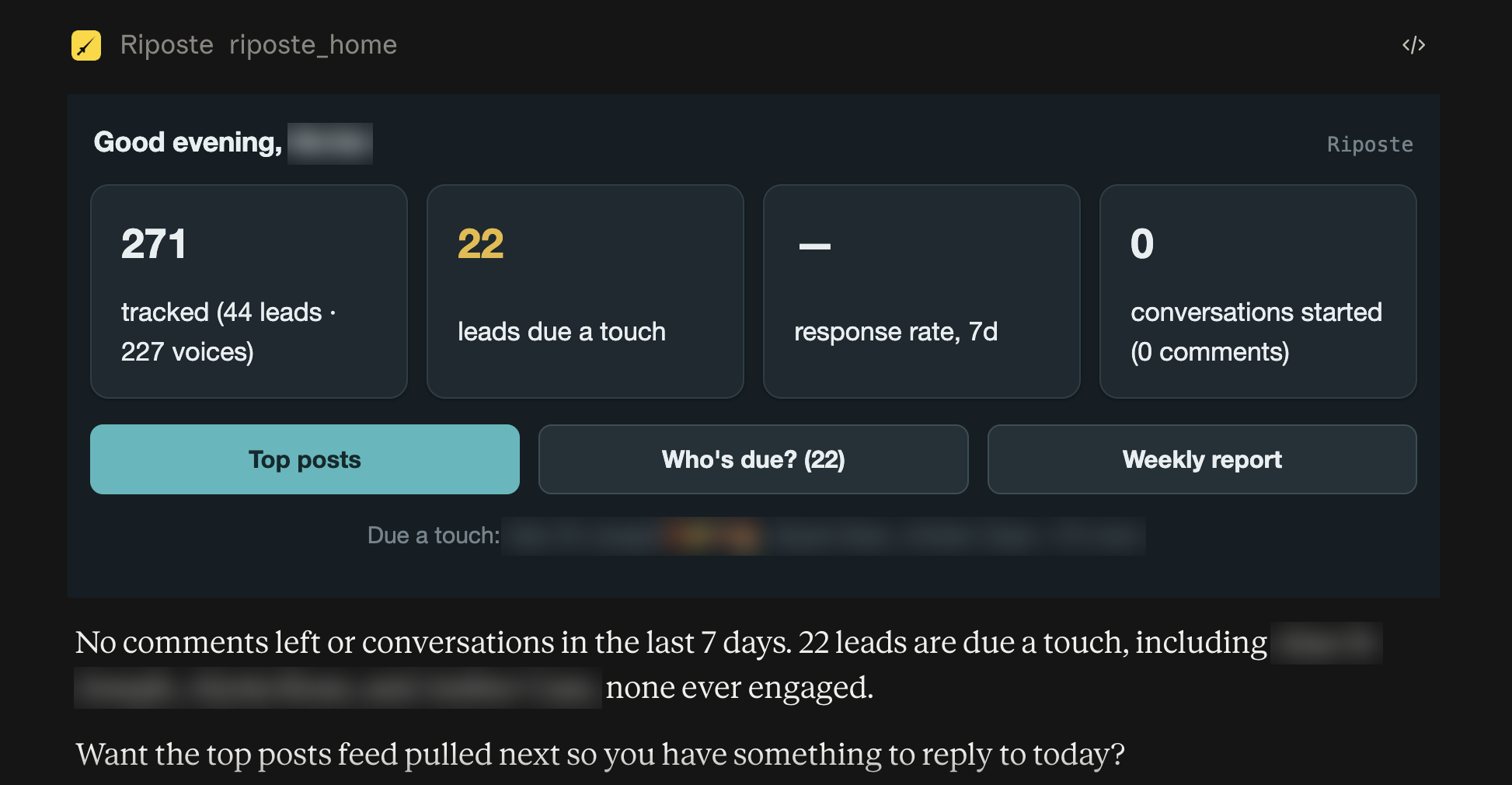
Your relationship radar finds people who are overdue a touch and have something fresh worth replying to.
Who needs your attention?See posts doing unusually well for their own author. Reshares and stale posts are filtered out.
What is worth joining in on?Get a draft based on your real comments and your team’s guidelines. Read it, edit it, then post it yourself.
What can you add?See the person, your history and a fresh post together. If there is nothing worth saying, Riposte says “skip today”.
See the real radar screen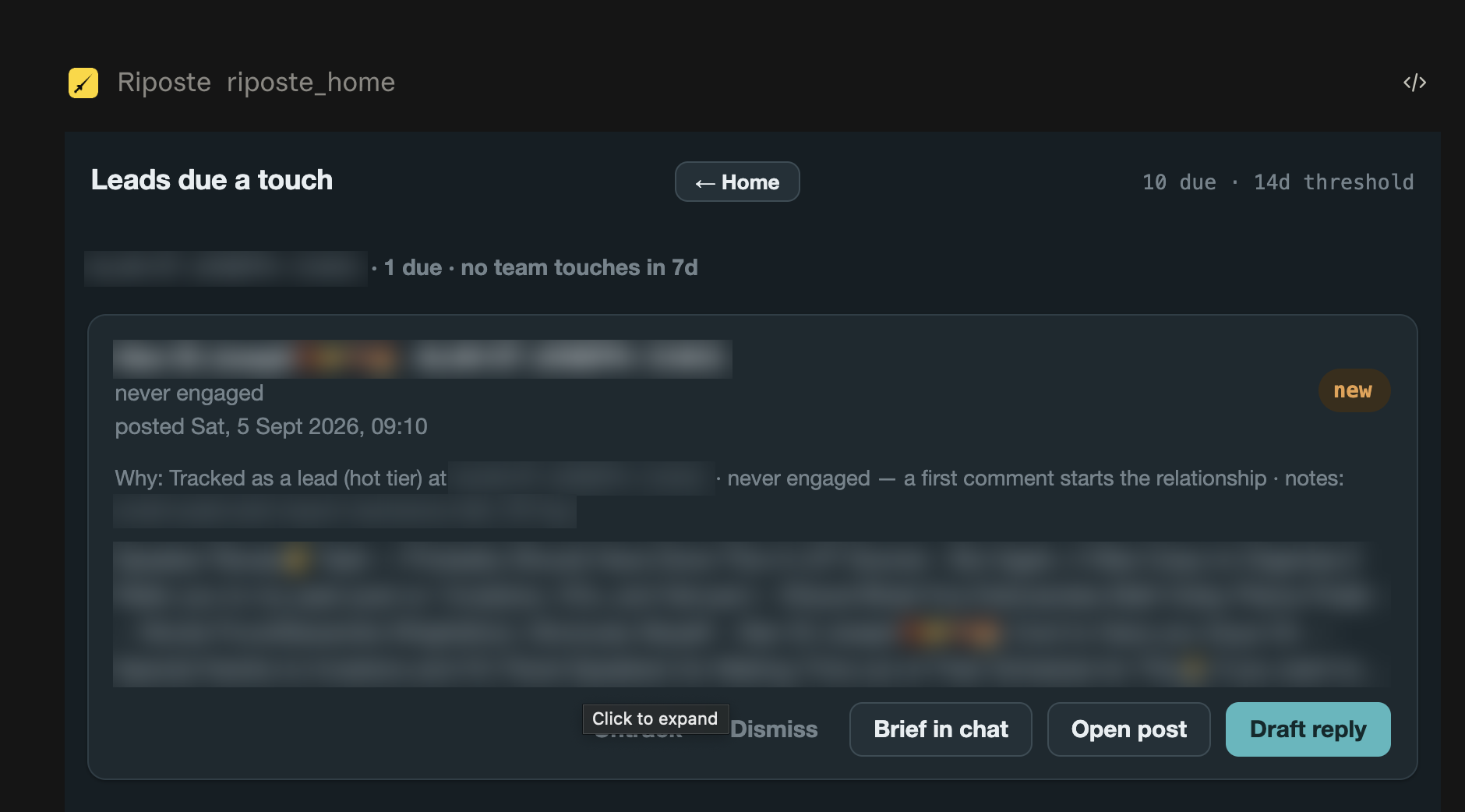
Inside Claude
Connect once. Then use these one-click prompts.
Or just ask: “who am I neglecting?” “show me the top posts” “draft a reply to this”
How Riposte thinks
The radar comes before the feed. Build a consistent presence with the right twenty people, instead of chasing whoever is loudest.
Some days, the best move is to say nothing. Riposte will tell you to skip a day. It refuses generic “great post” praise.
Riposte never logs into your LinkedIn account or posts on your behalf. That boundary is warranted in our services agreement.
Built for a small team
Help a team of five work the same prospect list without all five chasing the same conversation.
Paste or upload your prospects. Riposte checks who actually posts. Quiet profiles stay on the list without monitoring charges.
Filter the shared watchlist by segment tag, company, opportunity or owner. Each seat sees the people relevant to them.
Group people at a target company into an opportunity. See who on your team covers whom.
Get a lead’s themes, your shared history and whether they engage back. Build your voice from 3 to 8 real comments.
Once a profile is verified, Riposte automatically finds replies and responses. Review response rates by person and by seat.
Manage seats, set workspace usage budgets and see a report for each seat. Know where the allowance is going.
New this month
Riposte now has a web dashboard at app.riposte.chat/app. Sign in with the email on your seat. The daily run still happens in Claude — this is for the settings and the scoreboard, which are awkward to hold in a conversation.
The people on your list due a touch, each with their latest post. The same radar you get in Claude, on a page you can leave open.
Your team’s comments and the replies they got, day by day, with this week beside last.
The notes and banned phrases every draft is held to. Edit them in the page instead of describing them in a chat.
The samples and style notes your drafts are built from. Each person edits their own.
For admins. Everyone with a seat, the profile each one is, and who may work as whom.
For admins. Every tag, whose list each one is on, and how many people are on nobody’s.
Clear boundaries
Riposte reads public content through a data provider. It never asks for your LinkedIn password and cannot publish anything to your account.
Read the privacy policyRiposte uses public LinkedIn data from a third-party provider. The provider and sub-processors are named in the privacy policy.
Riposte’s database is hosted in Ireland. AI drafting data is not used for model training. The privacy policy explains who processes what.
Anyone on a watchlist can ask to be removed. The full erasure tool includes a verification step.
Usage is metered per seat and per workspace, with budgets and reporting to keep spending visible.
One customer’s starting point
A five-seat AI company brought its prospect list to Riposte. Here is what happened at setup.
A live watchlist of people who actually post.
The remaining profiles were kept, with no charge to monitor quiet people.Screening and monitoring figures from one five-seat AI company at setup. Read the setup example.
The Riposte blog
See the routine for yourself
See how Riposte could help your team decide who to talk to,
what to say and which conversations to follow up.
Arrange a time by email. Pricing on the call.
An admin must add your email first. Sign in with that address to activate your seat.
Works in Claude and ChatGPT, and in Grok.
Once your seat is ready: open your assistant’s connector settings — Claude, ChatGPT or Grok — add the Riposte URL and sign in. Your daily routine then lives there, and app.riposte.chat/app holds your guidelines, your voice and your team’s activity.